Proof Cryptid Cam Controls and Camera Guide
Movement, camera raise, flash budget, and lantern habits that keep Hollow Pines runs sellable.
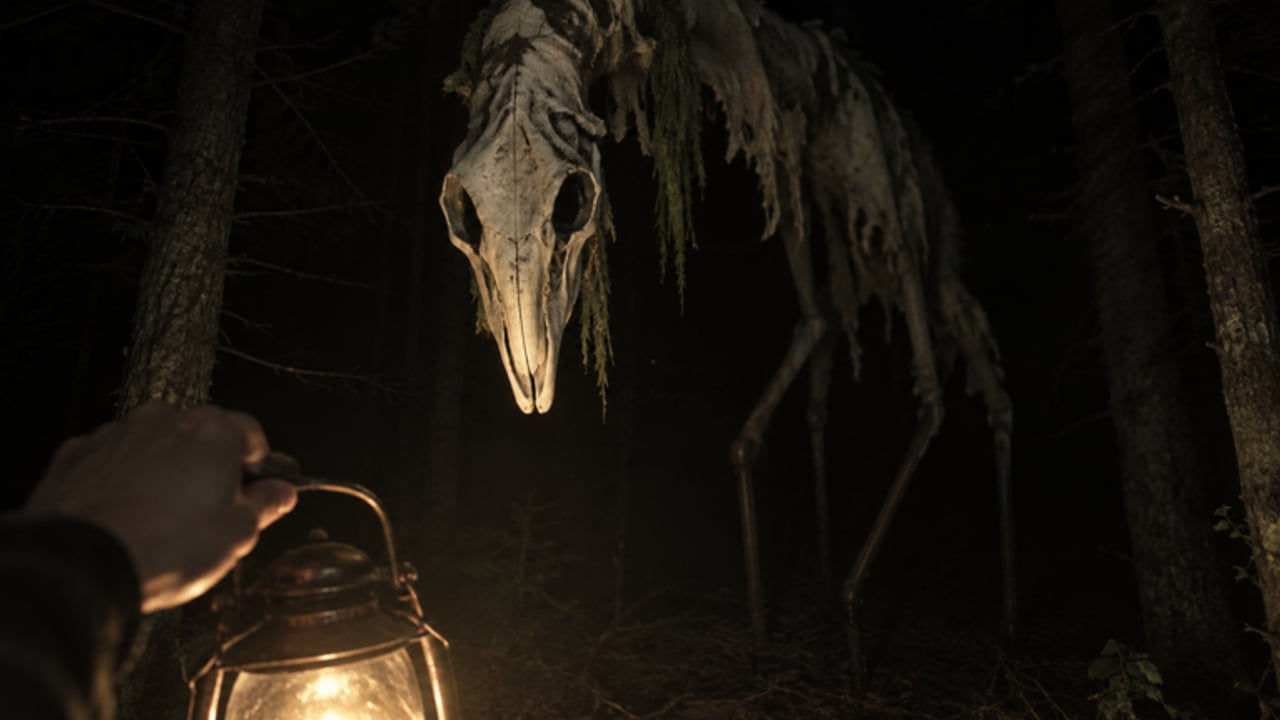
Proof Cryptid Cam is a Roblox survival-horror beta where your hands matter as much as your nerves. Bad movement wastes lantern oil. Bad camera habits miss sellable proof. Panic flashing burns the only stun window you have when something closes. This Controls and Camera Guide explains the actions you will use every night in Hollow Pines — without inventing exact Roblox keybind labels that can differ by device, layout, or patch — and ties each habit to the cryptids that punish sloppy inputs.
If you are brand new, finish Getting Started for lodge orientation first, then return here before your second outing. Pair camera technique with How to Photograph Cryptids and light discipline with Lantern Survival. Creature rules live in the Cryptid Bestiary; squad habits live on the Players Hub.
What this page will and will not invent
Roblox experiences inherit platform defaults: keyboard/mouse on PC, on-screen thumbsticks and buttons on mobile, and controller mappings when supported. LittleB Studio can remap prompts between UPD2 builds. Rather than hard-coding a key that may already be wrong on your device, this guide names actions — move, sprint, raise camera, shoot, flash, toggle lantern — and the fieldwork habits that make those actions profitable. Open your in-game settings once at the cabin and confirm your personal binds before you enter Deep Woods.
Core actions every hunter uses
Movement and positioning
You walk the lodge porch, Deep Woods trails, Black Bog edges, and Harrow Field corn with the same goal: keep a return bearing. Movement is not a parkour score. Strafe while framing only when you already know the ground. Sprint to break contact or reach a hedge, hay bale, or cabin door — not to “cover more map” while oil burns. Crouch or slow walks help when you are listening for chase audio or lining a mid-range shot without announcing yourself to every silhouette in the tree line.
Habit: leave the cabin facing a landmark you can find again when the lantern dies. Hollow Pines punishes players who only remember the path they took while the light was generous.
Raise camera
Raising the camera is the difference between tourism and proof. Proof sells to Ranger Hollis; random hip-level snaps often do not. Raise when you are ready to commit a frame, especially near The Negative, which is only visible through a raised camera and can move when it leaves the lens. Do not raise, panic, drop, and assume the world froze. Treat the raised camera as an active surveillance tool until you extract.
Habit: raise early in wrong-feeling empty spaces. Keep the subject framed while teammates reposition. Dropping the lens to sprint blind is how Negative encounters become missing-person stories.
Shoot / capture proof
The shutter is your paycheck. One clean, recognizable cryptid photograph that you survive to sell beats three unfinished close-ups. After the click, decide immediately: extract toward Hollis, or one more controlled risk. Greedy multi-shot sprees invite chase chains and empty oil. Details on framing and sellable proof sit on Photograph Cryptids.
Flash
Flash is roughly 1.5 seconds of stun or buy-time — a panic bridge, not a second lantern. Good uses: finish a frame as something closes, create space to a hedge or door, save a teammate who locked eyes with Bell Widow a moment too long. Bad uses: flashing on cooldown “just in case,” flashing instead of managing oil, flashing Longwalker with no hedge plan after the photo already invited it.
Flash budget rule for lobbies: the lantern runner (or whoever owns oil) approves flashes. Eight people mashing flash will end the night before Black Bog starts. See Players and the deeper Callouts and Roles page for squad ownership of that meter.
Lantern toggle
Lantern oil lasts on the order of about three minutes of continuous burn in current beta pacing, then something comes when light fails. Toggle habits matter more than raw movement skill:
- Travel darker on known cabin-to-woods paths.
- Light for crossings, photography setups, and maze confirmation.
- Kill the lantern between sightings when the route is memorized.
- Leave return reserve before you “just check one more tree line.”
Full failure-state playbooks live on Lantern Survival. Controls only remind you that the toggle is a deliberate economy button, not ambience.
The Negative lens rule (controls edition)
The Negative is the cryptid that turns camera raise into a survival verb. Only visible through a raised camera. Moves when not in the lens. Your control sequence should look like this:
- Feel the wrong empty space.
- Raise early — do not hip-fire and hope.
- Keep the entity framed while calling position for the squad.
- Shoot when the frame is sellable, not when adrenaline peaks.
- Extract without playing peek-a-boo drops of the lens.
Dedicated tactics: How to Survive The Negative. Bestiary summary: Cryptid Bestiary.
Mobile vs PC notes
PC players usually get finer camera aim and faster menu access. Use that advantage for mid-range frames and for keeping The Negative centered while strafing to cover. Do not confuse mouse precision with permission to stand still in the open.
Mobile players should expect larger on-screen controls and slightly less precise framing under chase pressure. Compensate with earlier raises, safer mid-range shots, and stricter flash discipline — fat-finger flashes waste the same 1.5 seconds. If your thumbs block the lower HUD, rearrange touch controls in Roblox settings before a serious Harrow Field push.
Controller users (when available) should confirm camera look sensitivity in a lodge porch test. High sensitivity overshoots silhouettes; low sensitivity loses The Negative when it slides off-lens.
Regardless of device, practice one cabin-perimeter loop where you only rehearse raise → shoot → lantern toggle → extract. Muscle memory for those four actions prevents forest panic.
Flash budget and oil interaction
Think of oil as the session timer and flash as emergency currency inside that timer. Continuous lantern burn ~3 minutes; each flash ~1.5 seconds of attention-stealing light and stun. A squad that lights the whole walk and flashes every bush will not reach Harrow Field with enough reserve to hide in hay or reach a hedge after Longwalker. Controls skill is knowing when not to press the shiny buttons.
Pre-run checklist at the lodge:
- Confirm your raise-camera and flash binds once.
- Agree who may flash without asking.
- Set an extract oil threshold out loud.
- Name the first biome you will learn tonight — not all three.
Map context for route planning: Hollow Pines Map. Maze props: Harrow Maze.
Common control mistakes
- Sprinting everywhere with the lantern locked on.
- Raising the camera only after something is already on top of you.
- Dropping The Negative’s lens mid-reposition.
- Flashing Longwalker with no hedge line ready.
- Stacking eight flash presses on Bell Widow instead of breaking eyes into hay.
- Never opening settings to verify binds after a Roblox client update.
Practice drill (ten minutes)
- Spawn at the ranger lodge; walk the porch and note the mail slot by the cabin door for beta bugs.
- Toggle lantern on/off along a short outbound path and back.
- Raise camera on empty space; practice keeping a fixed point centered while sidestepping.
- Fire one intentional flash toward a clear exit, then move — do not stand in the bloom.
- Sell any early proof to Hollis and stop. The drill is controls, not greed.
Related pages
- Getting Started — first-hour loop.
- Photograph Cryptids — framing and sellable shots.
- Lantern Survival — oil failure habits.
- Cryptid Bestiary — entity rules.
- The Negative — dedicated UPD2 threat guide.
- Players / Callouts and Roles — who owns flash and light.
- Guides Hub — full tutorial index.
Master the actions before you master the lore. Hollow Pines will give you subjects; Hollis only pays if your fingers still work when the oil is thin.
Frequently Asked Questions
Quick answers for Hollow Pines survivors.
What are the exact keybinds for Proof Cryptid Cam?
Binds follow your Roblox device and in-game settings and can shift between patches. Confirm move, raise camera, shoot, flash, and lantern toggle at the cabin before each serious run.
How long does flash last?
About 1.5 seconds of stun or buy-time. Use it to finish a shot or reach cover — it is not a long crowd-control effect or a replacement lantern.
Why does raising the camera matter for The Negative?
The Negative is only visible through a raised camera and can move when it is not in the lens. Treat viewing as active surveillance until you extract.
Should mobile players play differently?
Yes. Favor earlier camera raises, safer mid-range shots, and stricter flash discipline. Rearrange touch controls if thumbs block your view during chases.
Who should control the flash in a full lobby?
Usually the lantern runner or a named spotter. Uncoordinated flash spam empties the shared light budget before you reach Deep Woods or Harrow Field.
Where do I practice controls safely?
Run a short lodge-perimeter drill: lantern toggles, one raise-and-shoot cycle, one intentional flash toward an exit, then sell any proof and reset.